BIM ON GIS · KRRI 2025-PY-217
BIM on GIS platform
Railway slope simulator and Cesium·VWorld BIM on GIS — rainfall, debris flow, slope risk display
Overview
- Purpose — rainfall risk on railway alignment and slopes; rainfall disaster-prevention support
- Scope — GIS rainfall and debris-flow inundation results; Cesium slope-analysis results
- BIM DB — relational database for classifications and attributes and 3D BIM on GIS (Cesium) geometry
Simulator components
QGIS-based slope simulator — preprocess · analysis · postprocess (Cesium upload)
- Preprocess — contour→DEM, 2D section, WireMesh/FEM/STL, IFC→obj/DEM, GLB wireframe
- Analysis — debris-flow screening, simplified debris-flow simulation, shallow landslide stability, slope-angle classification, slope stability
- Postprocess — Cesium API upload, GeoServer 3D BIM on GIS viewer
Analysis models
- Debris-flow screening — DEM watershed, area, slope, soil-depth score (max 25)
- Simplified debris-flow simulation — energy-line runout (QGIS 3.44.3)
- Shallow landslide stability — cell factor of safety (Fs)
- Slope-angle classification — risk above a critical angle
- Other — G2D/FVM, limit equilibrium, landslide and slope-collapse stability
- Reference models — TRIGRS, SHALSTAB, SINMAP
- Dedicated analysis link — MIDAS, Abaqus results (GLB/OBJ/3D Tiles) to Cesium
Debris flow
Soil, rock, and vegetation mix flowing on steep slopes after rainfall or slope collapse
- Screening — watershed area, channel slope, soil depth; railway-crossing filter; GeoServer→Cesium
- Grades — none · concern · risk · very high (4 levels)
- Simplified simulation — energy-line angle for runout, volume, width
- Viewer — screening, energy-line hazard, and combined hazard
Cesium BIM on GIS display
Cesium (open-source 3D) and VWorld. Railway BIM geometry, slope risk, and sensors
- Display — shallow failure, slope angle, debris-flow risk, combined hazard, sensors
- BIM DB — railway-facility classification linked to attributes, BIM, and slope models
- CRS — input DEM EPSG:5186 (Korea Central TM)
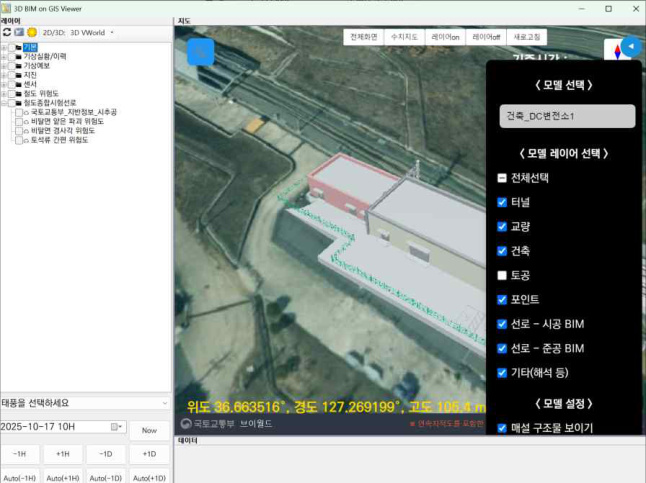
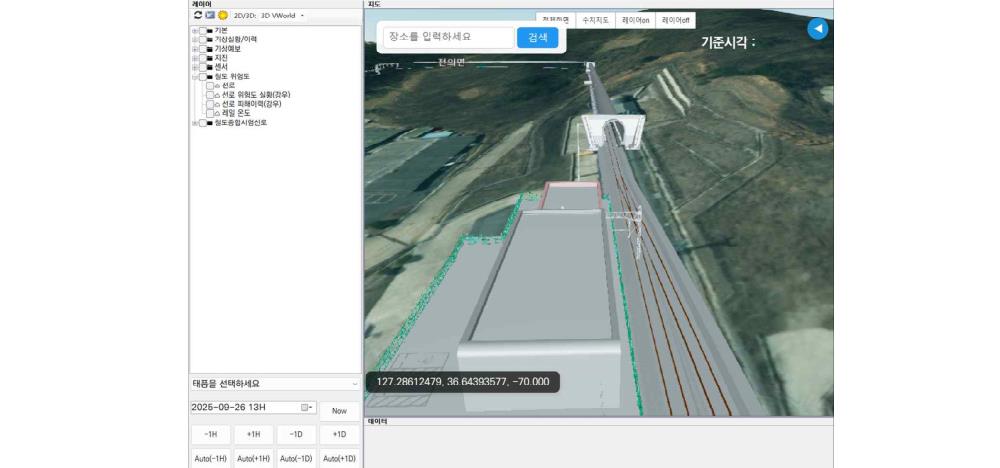
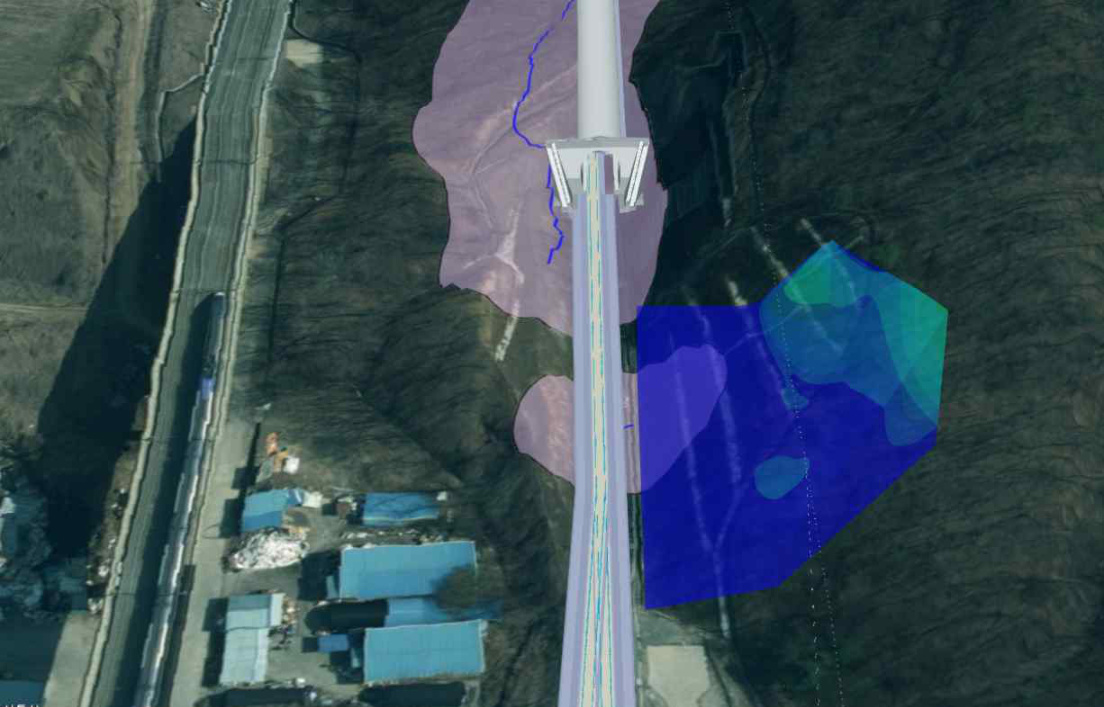
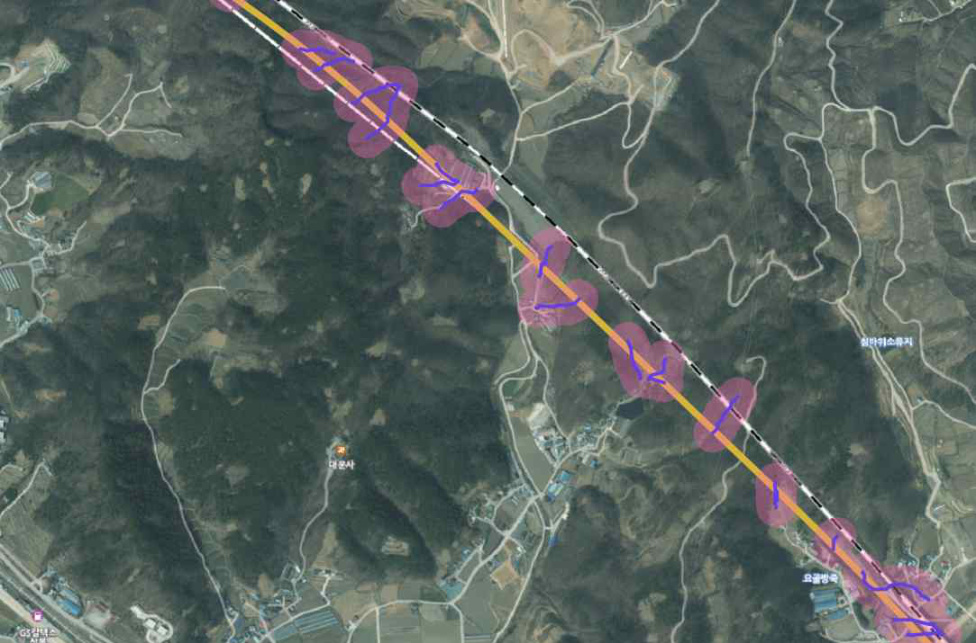
Research software screenshots are shown as captured from the Korean production interface. English text on this page explains the model, display layers, and workflow without modifying the original controls.